Course Content
KM-01- Introduction to Java Programming
Module Code: 900102-000-00-KM-01 Credits: 2 Summary: This module introduces learners to the fundamentals of Java programming and basic computing concepts. It builds a strong foundation by covering essential topics such as how computers work, the Java environment, development tools, and core programming principles. Learners are also introduced to version control and the structure of Java programs, preparing them to begin writing, compiling, and managing simple applications.
0/13
KM-02- Principles of Programming with Java
Module Code: 900102-000-00-KM-02 NQF Level : NQF Level 4 Credits: 6 Credits This module builds the learner’s understanding of the principles of programming with the Java programming language. It covers Java program structure, variables, data types, arrays, strings, classes, conditionals, loops, algorithms, exception handling, file systems, multithreading, and the programming life cycle.
0/29
KM-03: Principles of Object-Oriented Programming with Java
his module introduces learners to the core principles and structure of Object-Oriented Programming (OOP) using Java. Learners will explore how object-oriented concepts are used to design scalable, reusable, and maintainable software applications in modern software development environments. The module covers the foundational concepts of OOP, including classes, objects, methods, inheritance, abstraction, encapsulation, polymorphism, aggregation, association, and composition. Learners will also examine the advantages of applying object-oriented principles in real-world software projects and enterprise application development. Through theoretical understanding and contextual programming examples, learners will develop the ability to analyse object-oriented structures, identify relationships between objects, and apply OOP principles to solve programming problems effectively. This module supports learner progression into intermediate and advanced Java development by building strong foundational knowledge required for application development, GUI systems, REST APIs, enterprise systems, and software engineering workflows.
0/4
KM-04- Principles of Intermediate Programming with Java
Module Code: 900102-000-00-KM-04 NQF Level: 4 Credits: 6 Curriculum Title: Java Programmer Curriculum Code: 900102-000-00-00 Module Summary This module focuses on building an understanding of the principles of intermediate programming with Java. Learners are introduced to more advanced Java concepts, including collections, generics, functional programming, concurrency, concurrent collections, and atomic operations.
0/9
KM-05- REST API and Modularization
Module Code: 900102-000-00-KM-05 NQF Level: 4 Credits: 2 Module Summary The main focus of this knowledge module is to build an understanding of the functionalities of REST API and modularization and when to use them. Learners will develop knowledge of REST API concepts, functions, features, and implementation approaches used in Java applications. The module also introduces Java modularization concepts, including module structures, dependency management, encapsulation, and modern Java features such as Local Variable Type Inference, Switch Expressions, Text Blocks, and Records. The module prepares learners to understand modern Java application development practices and modular software design.
0/5
PM-01- Getting Started with Java
Module Code: 900102-000-00-PM-01 NQF Level: 4 Credits: 3 Module Summary The main focus of this practical module is to introduce learners to the practical application of basic computer skills, Java installation and setup, Integrated Development Environments (IDEs), Java class creation, and Git commands. Learners will perform practical activities that involve setting up Java development environments, creating and running Java programs, navigating IDEs, and applying basic source code management practices using Git. The module prepares learners for practical Java software development activities in modern programming environments.
0/10
PM-02- Programming with Java
Module code: 900102-000-00-PM-02 NQF Level: 4 Credits: 8 Module Summary This module introduces learners to practical Java programming skills used in software development. Learners develop the ability to create and run Java programs, work with variables and data types, use arrays and ArrayLists, create and manage classes and objects, and apply core programming concepts such as loops, conditionals, algorithms, exception handling, and multithreading. The module also covers string manipulation, file handling, wrapper classes, and the programming lifecycle used to develop complete software solutions. By the end of the module, learners will be able to design, write, test, and troubleshoot Java applications using structured programming techniques and object-oriented programming principles.
0/44
PM-03- Object-Oriented Programming with Java
Module code: 900102-000-00-PM-03 NQF Level: 4 Credits: 4 Module Summary This practical module introduces learners to Object-Oriented Programming (OOP) using Java. Learners will apply practical Java programming skills to design classes, create objects, apply inheritance, use constructors, manage object state, and develop reusable Java applications. The module focuses on practical implementation of OOP principles including: * encapsulation, * inheritance, * polymorphism, * and abstraction. Learners will also compile, execute, and organize Java programs correctly within Java file systems and directories. The module prepares learners for real-world Java software development environments through hands-on practical activities and problem-solving scenarios.
0/2
PM-04- Intermediate Programming with Java
Module code: 900102-000-00-PM-04 NQF Level: 4 Credits: 6 Module Summary This practical module introduces learners to intermediate Java programming concepts and practical software development techniques using modern Java functionalities. Learners will apply Java collections, generics, functional programming concepts, and concurrency techniques to create efficient and scalable Java applications. The module focuses on practical implementation of: * Java collections and data structures, * generics and type safety, * functional programming using lambda expressions and streams, * and concurrent programming using synchronization and concurrent collections. Learners will develop hands-on Java applications that manage collections, process data functionally, and handle concurrent operations safely within multi-threaded environments. The module prepares learners for real-world Java software development by strengthening problem-solving abilities, improving software performance, and introducing enterprise-level programming techniques commonly used in modern Java applications.
0/8
PM-05- Getting Started with REST API and Modularization
Module code: 900102-000-00-PM-05 NQF Level: 4 Credits: 4 Module Summary This practical module introduces learners to REST API development and Java modularization using modern Java technologies and frameworks. Learners will develop practical skills in connecting Java applications to databases, creating RESTful web services, implementing CRUD operations, and deploying databases using Docker. The module focuses on practical implementation of: * JDBC database connectivity, * REST API development using Java and Spring Boot, * CRUD operations using HTTP methods, * Docker containerization, * Java modularization, * and modern Java APIs. Learners will build practical Java applications that connect to MySQL databases, manage data using REST APIs, split applications into Java modules, and apply modern Java functionalities for cleaner and more scalable code. The module prepares learners for enterprise-level Java software development environments where REST APIs, modular applications, and containerized systems are widely used in modern software engineering.
0/4
PM-06- Keystone Project with Java
Module code:900102-000-00-PM-06 NQF Level: 4 Credits: 8 Module Summary This practical module provides learners with the opportunity to complete a comprehensive Keystone Project using the Java programming language. Learners will apply all the programming knowledge and practical skills acquired throughout the qualification to design, develop, test, and execute real-world Java applications. The module focuses on practical implementation of: * core Java programming, * arrays and objects, * conditions and loops, * GUI development, * game development, * and complete Java application solutions using frameworks and environments of the learner’s choice. Learners will complete practical exercises, build an operable Java game, and develop a contextual GUI-based solution within a selected sector such as: * retail, * healthcare, * IoT, * cloud computing, * mobile development, * or network systems. The module prepares learners for real-world software development environments by strengthening problem-solving abilities, practical development experience, creativity, and application deployment skills using Java technologies and frameworks.
0/6
Java Programmer Skills Programme

📘 LESSON 1

3.1 Lesson Outcomes

After completing this lesson, learners will be able to:

  • Explain the uses and capabilities of computers.
  • Identify major hardware components of a computer.
  • Explain the relationship between processors and operating systems.
  • Describe 8-bit computing concepts.
  • Explain internet connectivity and online functionalities.
  • Identify tools used for remote work and collaboration.

3.2 Overview

Computers are essential tools used in communication, business, education, software development, and information management. Modern computer systems support internet connectivity, remote work, cloud services, and application development across different platforms.

This lesson introduces learners to the uses and capabilities of computers and explains how computer hardware, operating systems, internet technologies, and remote work tools support modern computing environments.

Computers are widely used in:

  • banking systems,
  • healthcare systems,
  • educational institutions,
  • enterprise environments,
  • and software development.

Understanding computers is important because programming and software development rely on computer systems and digital platforms.


KT0101 — Uses and Capabilities

Computers are electronic devices used to:

  • process information,
  • store data,
  • perform calculations,
  • and execute software applications.

Uses of Computers

Computers are used in:

  • education,
  • banking,
  • healthcare,
  • communication,
  • entertainment,
  • and software development.

Capabilities of Computers

Computers are capable of:

  • fast processing,
  • data storage,
  • multitasking,
  • automation,
  • and communication.

Importance of Computer Capabilities

Computer capabilities improve:

  • productivity,
  • efficiency,
  • communication,
  • and information management.

KT0102 — Hardware Components

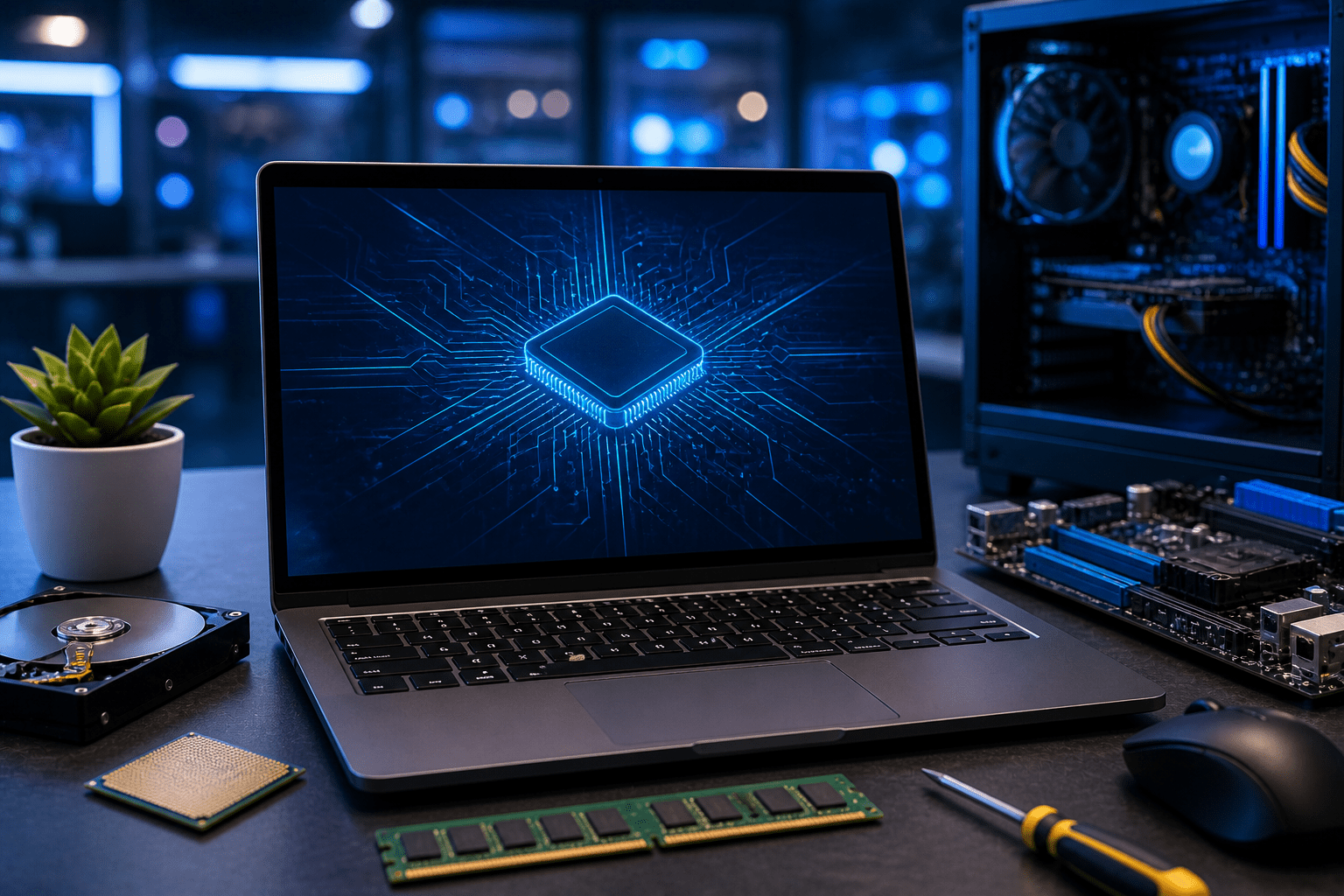
Hardware refers to the physical parts of a computer system.

Hardware components work together to process and manage information.


Main Hardware Components

Component Purpose
CPU Processes instructions
RAM Temporary memory
Storage Devices Store data permanently
Monitor Displays output
Keyboard Inputs data
Mouse Controls pointer movement

Central Processing Unit (CPU)

The CPU is known as the:

 
brain of the computer
 

The CPU:

  • processes instructions,
  • performs calculations,
  • and controls computer operations.

Importance of Hardware Components

Hardware components support:

  • software execution,
  • data processing,
  • and computer functionality.

KT0103 — Processors + Operating Systems = Platform

A computer platform consists of:

  • the processor,
  • and the operating system working together.

Processor

A processor executes instructions and processes data.

Examples:

  • Intel processors
  • AMD processors
  • Apple Silicon processors

Operating System

An operating system manages:

  • hardware,
  • software,
  • memory,
  • and user interaction.

Examples of Operating Systems

  • Windows
  • Linux
  • macOS
  • Android

Platform Example

| Processor | Operating System | Platform |
|—|—|
| Intel | Windows | Windows PC |
| Apple Silicon | macOS | Mac Platform |


Importance of Platforms

Platforms determine:

  • software compatibility,
  • application performance,
  • and system functionality.

KT0104 — 8-bit Computing: Text, Numerical and Symbols

Computers process information using binary digits known as bits.

An 8-bit system uses:

 
8 bits = 1 byte
 

8-bit Computing

8-bit computing allows computers to represent:

  • text,
  • numbers,
  • symbols,
  • and characters.

ASCII Representation

ASCII is a coding system used to represent characters.

Example:

Character Binary Representation
A 01000001
B 01000010

Importance of 8-bit Computing

8-bit computing supports:

  • text processing,
  • character representation,
  • and digital communication.

KT0105 — Internet Connectivity and Range of Functionalities: e.g. Cloud Storage, Search Engines, etc.

Internet connectivity allows computers to communicate and access online services.

The internet provides access to:

  • cloud storage,
  • search engines,
  • online applications,
  • and communication systems.

Examples of Internet Functionalities

Functionality Example
Cloud Storage Google Drive
Search Engine Google
Email Services Gmail
Video Conferencing Zoom
Online Learning LMS Platforms

Importance of Internet Connectivity

Internet connectivity supports:

  • communication,
  • remote access,
  • cloud computing,
  • and information sharing.

KT0106 — Tools for Working Remotely

Remote work tools allow people to work and collaborate from different locations.

These tools support:

  • communication,
  • meetings,
  • file sharing,
  • and teamwork.

Examples of Remote Work Tools

Tool Purpose
Zoom Video meetings
Microsoft Teams Collaboration
Google Meet Online meetings
Slack Team communication
Google Drive File sharing

Importance of Remote Work Tools

Remote work tools improve:

  • collaboration,
  • flexibility,
  • communication,
  • and productivity.

3.5 Key Notes / Summary

  • Computers process, store, and manage information.
  • Hardware refers to physical computer components.
  • A platform consists of processors and operating systems.
  • 8-bit computing supports character representation.
  • Internet connectivity provides online functionalities.
  • Cloud storage and search engines support online computing.
  • Remote work tools enable online collaboration and communication.
Scroll to Top